What do PointProven's indicators mean?
How to identify check states, source marks, step status, and deck covers.
Updated 16 November 2026
Introduction
PointProven shows each finding with a small mark. The mark's shape tells you the category of check. Its fill or outline tells you the state. You can distinguish shapes and states without relying on colour. Each mark also has a name, which a screen reader reads out.
How to
The shape is the category
| Shape | Category | Shown in |
|---|---|---|
| Square | Structure | Argue, Outline, Design, Deliver |
| Triangle | Logic | Frame, Argue, Outline, Design, Deliver |
| Circle | Wording | Outline, Design, Deliver |
| Diamond | Sources | Argue, Outline, Design, Deliver |
| Hexagon, point up | Evidence | Argue, Outline, Design, Deliver |
| Broken ring | Gaps | Argue, after Challenge me |
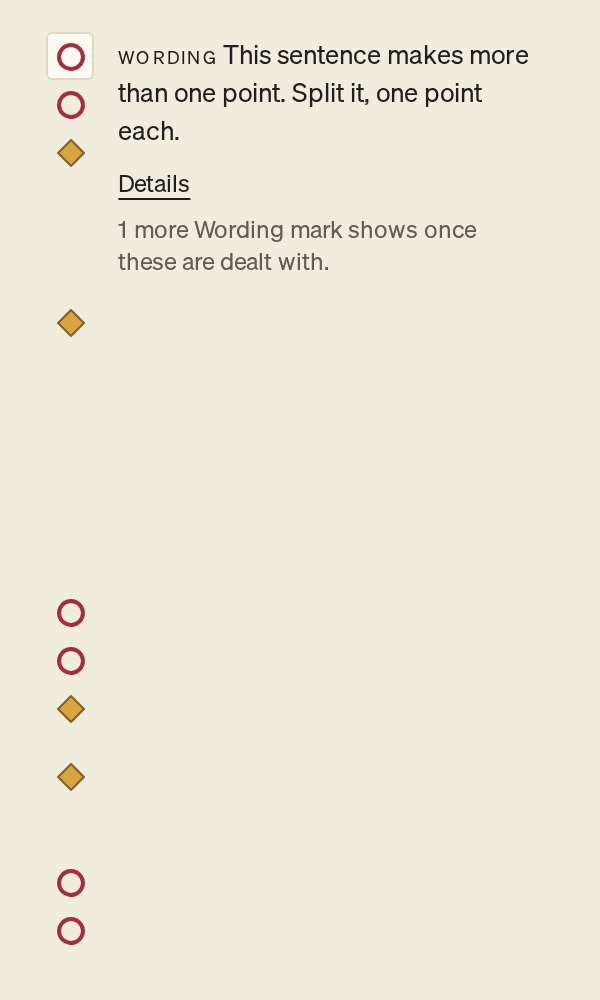
The category's name also leads the finding, in small capitals. A screen reader reads the mark as, for example, Wording, Failed, then the problem, then the item it is on and its place in the list, such as 2 of 5.
Fill and outline show the state
| Treatment | State | What it means | What to do |
|---|---|---|---|
| Outline only, no fill (red) | Failed | A check failed. For example, A figure here is not in its source. or This does not support its point. In Design, it also marks This text does not fit the layout. | Apply the Suggested fix, or edit the text yourself. In Design, use the mark's fix, such as Split it in Outline. |
| Filled diamond (amber) | No source | A figure stated as a fact has no source. | Cite a source. See Cite a source. |
| Filled diamond (amber) | Needs data | You marked something to find later with TK. In Design, it also marks This chart has no data yet and This table has no data yet. | Fill in the figure, then select Remove the mark. For a chart or table, select Open the data. |
| Filled diamond (amber) | Source replaced | The figure cites a file that has been replaced by a newer version. | Select Cite the newer version, or cite another source. |
| Filled diamond (amber) | Cited, not verified | The figure was cited by hand. The source is not in your material, so PointProven cannot check it. | Select I stand by this source once you have checked it yourself. |
| Thin outline with a dot in the centre | Unchecked | A check could not give an answer, for example on a figure you have just edited. It never means passed. | If the details say couldn't be checked just now, select Check again. If they say couldn't decide or can't be checked as written, edit the line. |
| No mark for an individual passed check | Passed | That check passed. Details labels its result Passed. The absence of a mark does not establish a pass. | Read the available results in Details. |
The four amber states share the diamond because each is about a source. Select the mark, or read its name, to tell them apart.
A check that is unavailable or has not run yet also has no mark. Some unchecked results have no visible mark, and limits on marks per slide can hold findings back. The absence of a mark does not mean every check passed.
In Deliver, the small marks on lines and slides keep an older set of shapes: a ring, a dot, brackets, a half-filled dot, a hollow ring and a diamond. Source replaced uses the half-filled dot there, rather than the filled amber diamond used in Argue, Outline and Design. The finding's name is the same.
What the checks say
These are the sentences a failed check gives. A check that is not available yet gives none.
| Category | Check | A failed finding reads |
|---|---|---|
| Structure | Win the work's four supports | No experience yet: work like this you have done. Win the work answers with four supports. (one line for each support, in Argue) |
| Structure | Points don't overlap | This point overlaps another in its group. |
| Structure | Points in order | The points beneath this read out of order. |
| Structure | Three to five points a group | … points argue this. Three to five read best. (or Try grouping them under three to five headings.) |
| Structure | A slide holds too much | … lines. A slide holds …. Split it into more slides. |
| Structure | Next steps | No one is responsible for “…”. or “…” has no deadline. |
| Logic | Matches its structure | This Question doesn't ask what … answers. Shown in Frame, beside the Question. |
| Logic | Answers the Question | This doesn't answer the Question. |
| Logic | Answers its parent's question | This doesn't answer the question its parent raises. |
| Logic | Points stand on their own | The points beneath this don't each support it on their own. |
| Logic | Keeps to the limits its material sets | This recommendation breaks a limit your material sets: “…”., “…” breaks a limit your material sets: “…”. or This recommendation doesn't show it meets a limit your material sets: “…”. In Argue. |
| Logic | No contradictions | This contradicts another point. It runs before you export, so it shows in Deliver as 1 claim contradicts another. |
| Wording | States its point | This headline names a topic. |
| Wording | Says who acts | This hides who acts. |
| Wording | Plain words for its audience | This uses jargon your audience may not use. Needs an audience for the deck. |
| Wording | One point a sentence | This sentence makes more than one point. |
| Wording | Length, verb first, hedges, acronyms, repeats, matching bullets | For example This headline runs to … words. Keep it to … at most. |
| Sources | Has a source | “…” has no source. |
| Sources | Matches its source | A figure here is not in its source. |
| Sources | Its source states it | Its source does not state this. |
| Sources | Its figure is current | A figure here is out of date. |
| Evidence | Supports its point | This does not support its point. |
In these examples, … stands for numbers or words from your deck.
When an item has several marks, the column shows the most serious first. A slide shows at most two Wording, two Sources and two Evidence marks. The others wait, under a line such as 2 more Sources marks show once these are dealt with.
Marks on a figure
| Look | What it means |
|---|---|
| A dotted underline (grey) | The figure has a source. Hover over it, or move the caret into it, to see its source card. |
| A dotted underline ending in a tiny hollow ring (dark amber) | The figure is Cited, not verified, or its source file was replaced. Its mark in the right column says which. |
| The letters TK between two short lines (amber) | A needs-data mark. Type TK and a space to make one, or press ⌘K (Ctrl+K) and choose Mark something to find later. If you fill in the figure yourself, cite its source and select Remove the mark. The mark isn't exported, but the letters TK are. |
The source card names the source and its state: Verified against your material, Not checked yet, Not checked since your edit, Not found in that document, Cited, not verified, Cited, and you stand by it or Its file was replaced by a newer version.
A word such as Situation can also have a dotted underline (grey). Hover over it, or move to it, to see the term's definition.
Notices
| Where | Words | What to do |
|---|---|---|
| Outline, on a Situation or Complication slide | May be outdated | Select Keep or Redraft. See Plan your storyline. |
| Argue, at the top of the page | The argument may no longer answer the question | Select Keep or Redraft. See Build your argument. |
The steps
| Look | What it means |
|---|---|
| In the menu, a tick beside a step | The step is done: it has what the next step needs. |
| In the menu, a small red square beside a step | You are in this step. |
| In the menu, a step in grey | The step is not open yet. Point to it, or move the focus to it, to see what it needs, such as Argue, needs your question. Selecting it says the same. |
| In the menu, a step in black with no tick | The step is open. Select it to go there. |
The steps show when the menu is open. To open it, select the red square at its top. Frame is never locked. A step opens once it has what it needs, and stays open.
Covers on Home
| Look | What it means |
|---|---|
| A small solid dot after the client's name on the cover | The deck has been exported. |
| A small hollow dot in the same place | The deck has changed since its last export. Export again to get a new file. |
| In the figure on the cover, a filled dot | A point with evidence under it. |
| In the figure on the cover, a hollow dot | A point with no evidence yet. |
Hover over a cover, or move to it, to see its status: for example, Exported 2 Oct, changed since 2 Oct or in Outline. See Review and export.
FAQs and common issues
What should I do about an Unchecked result?
Read the details before deciding whether to retry or edit.
- If they say couldn't be checked just now, select Check again.
- If they say can't be checked as written or couldn't decide, edit the line. A reason such as needs its source, needs the Question, or too long to check at once explains what needs attention.
A check that is not available yet does not appear as Unchecked. It does not appear at all.
Why does a finding say "From before your edit."?
A finding on text you have edited since reads From before your edit. and turns grey. It stays until the checks run again.