How do I delete and restore decks, clients, and files?
How to recover deleted items within 30 days and restore content removed inside a deck.
Updated 10 November 2026
Introduction
A deleted deck, client or file waits on a Deleted shelf for 30 days. You can restore it until then. Inside a deck, removed points, lines and slides go to a bin.
Deleting your account does not use the Deleted shelf. Its decks, clients and files cannot be restored. See Delete your account.
PointProven does not ask you to confirm a delete. It asks only before you erase something for good.
How to
Delete a deck
- On Home, select the ⋯ under the deck's cover.
- Select Delete.
You can also move to the cover and press Delete or ⌘Backspace. The deck moves to the Deleted shelf at the foot of Home.
Delete a client
- On Home, select the ⋯ beside the client's name.
- Select Delete followed by the client's name and and its decks, for example Delete Meridian Partners and its decks.
The client, its decks and its material move to the Deleted shelf on Home as one entry. Its material leaves the Library until you restore the client. The client's logo and profile go with it.
To remove only a client's profile, select Delete on the profile in the Library. The page says Profile deleted. The client and its decks stay.
You cannot delete your own firm, marked · your firm. Its menu offers only Rename in Settings.
Delete a file of material
In the Library, select Delete on the file's line. The file moves to the Library's own Deleted shelf. For what happens to figures cited from it, see Replace or delete files.
Undo a delete straight away
Press ⌘Z (Ctrl+Z). The last item you deleted comes back. Press it again to bring back the one before.
This works on Home and in the Library while you stay on the page. After you leave, restore the item from the shelf.
Restore from the Deleted shelf
Decks and clients wait at the foot of Home. Files wait at the foot of the Library. Each shelf shows only when it holds something.
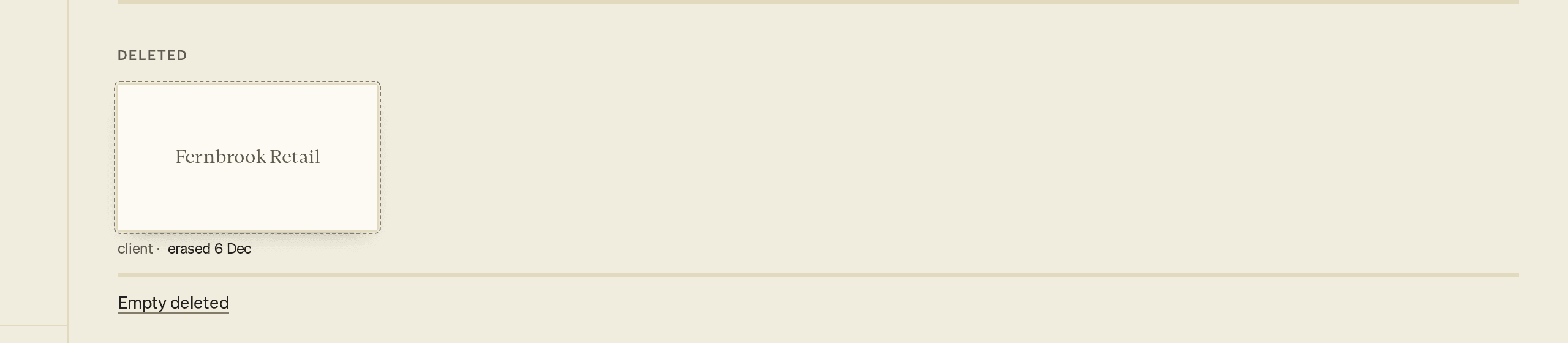
Each item shows the date it will be erased, for example erased 1 Nov. That date is 30 days after you deleted it.
To restore an item:
- Scroll to the Deleted shelf, or press ⌘K (Ctrl+K) and choose Show deleted.
- Select the item. In the Library, each line ends in · Restore.
The item goes back where it was. A client comes back with its decks and its material.
Empty the Deleted shelf
Emptying erases everything on that shelf now, instead of after 30 days. You cannot undo it.
- Under the Deleted shelf, select Empty deleted.
- At Empty deleted?, select Empty deleted, or select Cancel to keep the items.
Emptying the Deleted shelf on Home does not empty the Deleted shelf in the Library. Emptying the Library's shelf does not empty Home's.
Get back something you removed inside a deck
Inside a deck, ⌘Z (Ctrl+Z) undoes your last change, one change per press, including an AI draft you took.
In Argue and Outline, a deleted point, line or slide goes to the bin with everything under it. The bin shows as Cut at the foot of the page once it holds something.
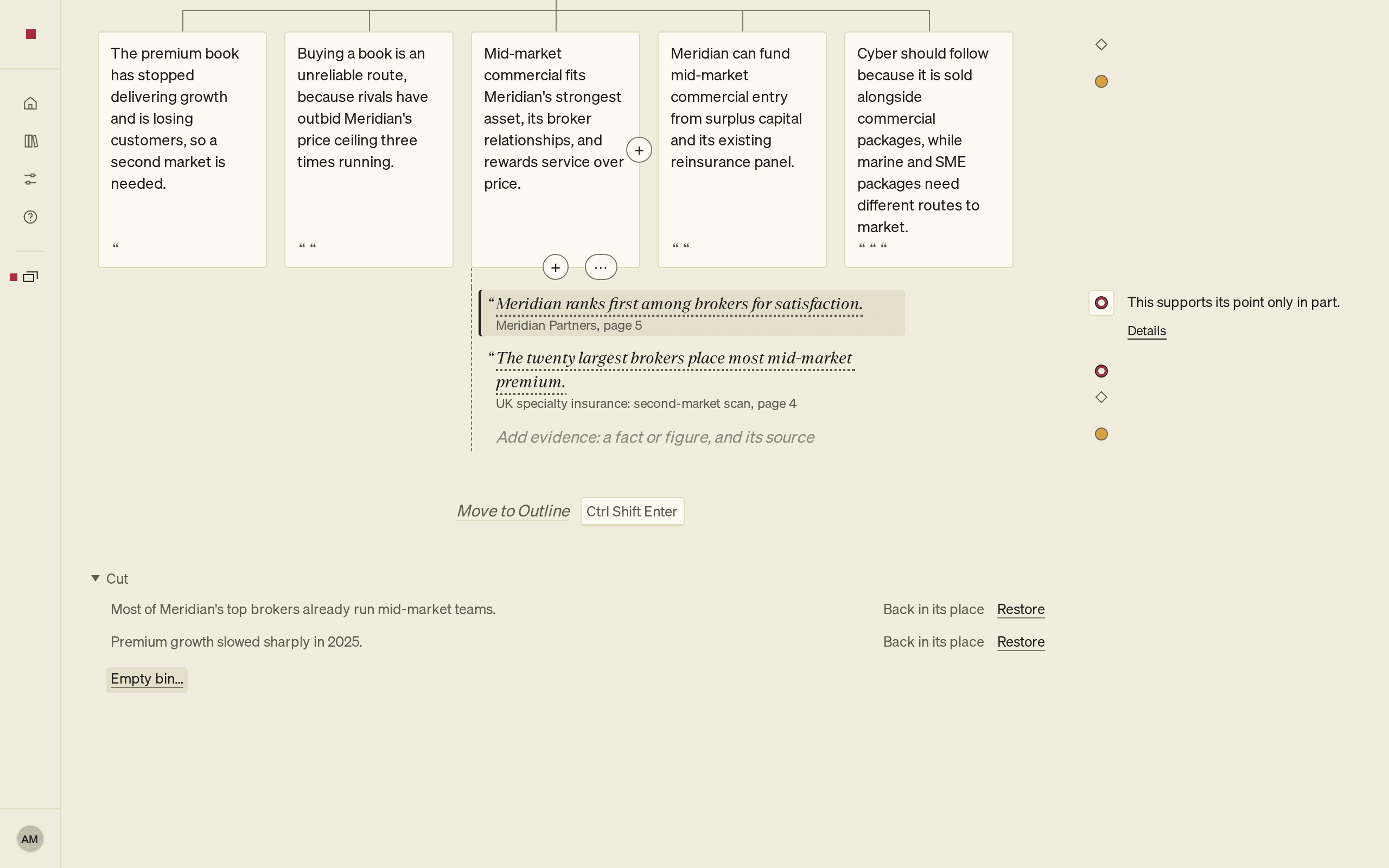
To restore an item from the bin:
- Select Cut to open the bin. The newest item is first.
- Check where the item will go: Back in its place, or Goes under followed by the item it will join.
- Select Restore.
In Design, press ⌘K (Ctrl+K) and choose Show cut text. PointProven opens the bin in Outline.
Emptying the bin permanently deletes its items. You can no longer undo changes made before you emptied it.
- Select Empty bin….
- Select Empty bin to confirm, or Keep them to cancel.
Delete your account
Deleting your account does not use the Deleted shelf. Its decks, clients and files cannot be restored. See Change your settings.
FAQs and common issues
What if another client has the same name?
Rename the other client first, then restore the deleted client.
Why can I not undo a delete after leaving the page?
Undo on Home and in the Library works only while you stay on the page. Use the Deleted shelf to restore an item after you leave, until its erase date.
Does emptying one Deleted shelf empty the other?
No. Home and the Library have separate Deleted shelves. Emptying one does not empty the other.